> ## Documentation Index
> Fetch the complete documentation index at: https://docs.smashandclash.in/llms.txt
> Use this file to discover all available pages before exploring further.
# Attack animation
> Each character's wind-up and strike drawings, where they pivot, and when each one shows.
When a card attacks, its character winds up and strikes. The game shows three drawings:
| Drawing | Where |
| - | - |
| rest | the character's `art` |
| wind-up | `animation.windup` |
| strike | `animation.strike` |
The wind-up and strike drawings are 1088×1088, on transparency, facing right.
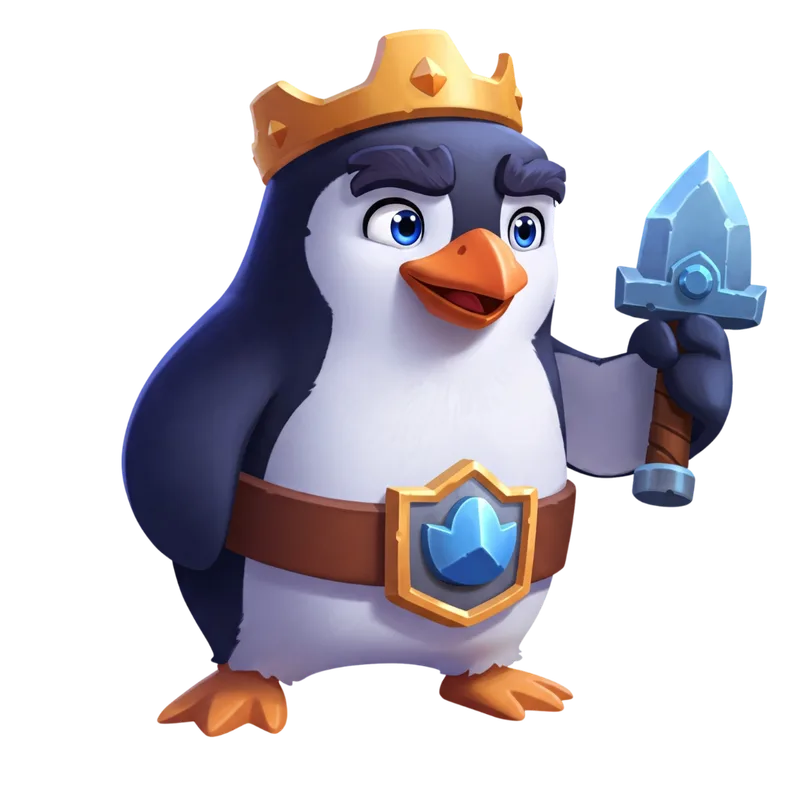
rest: art
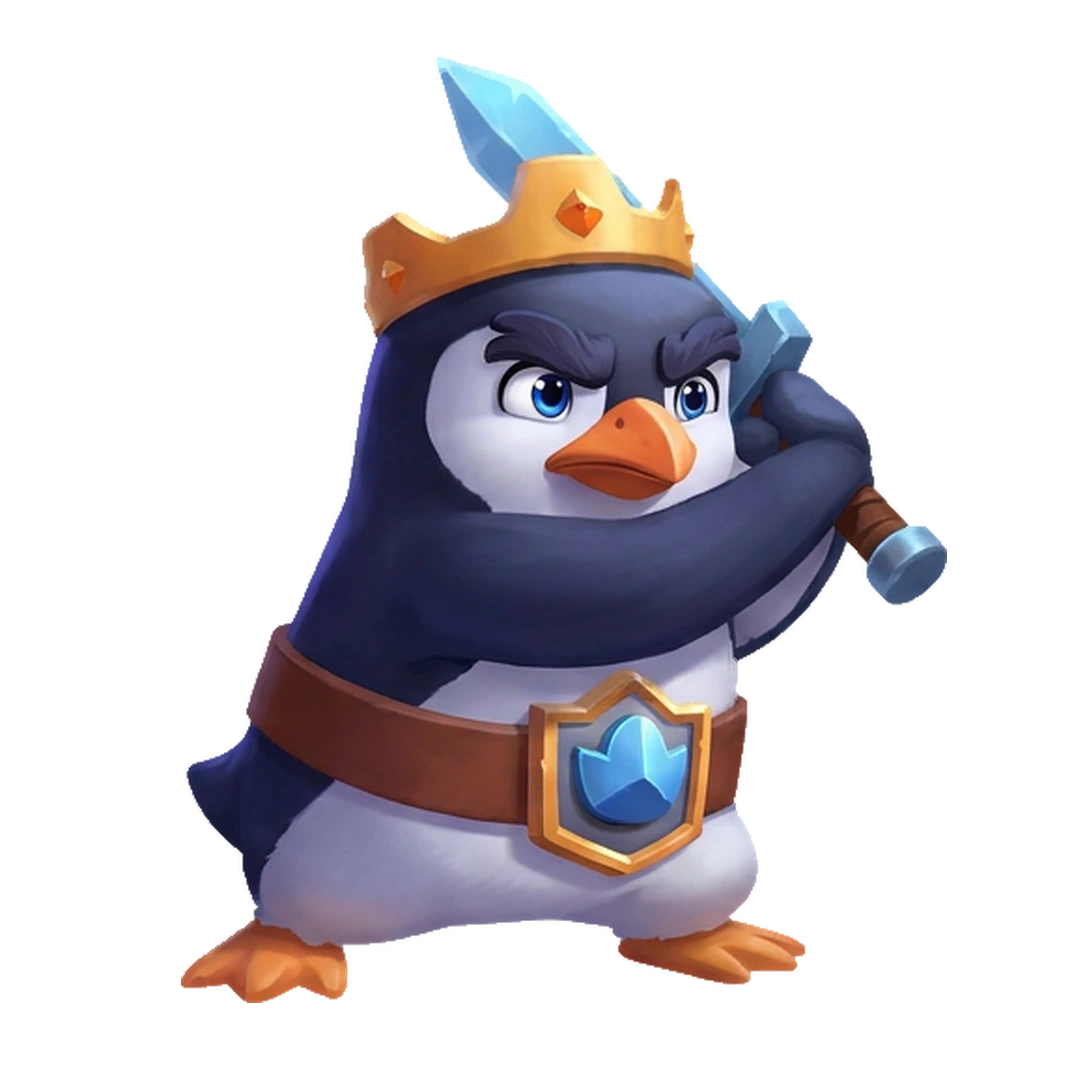
animation.windup
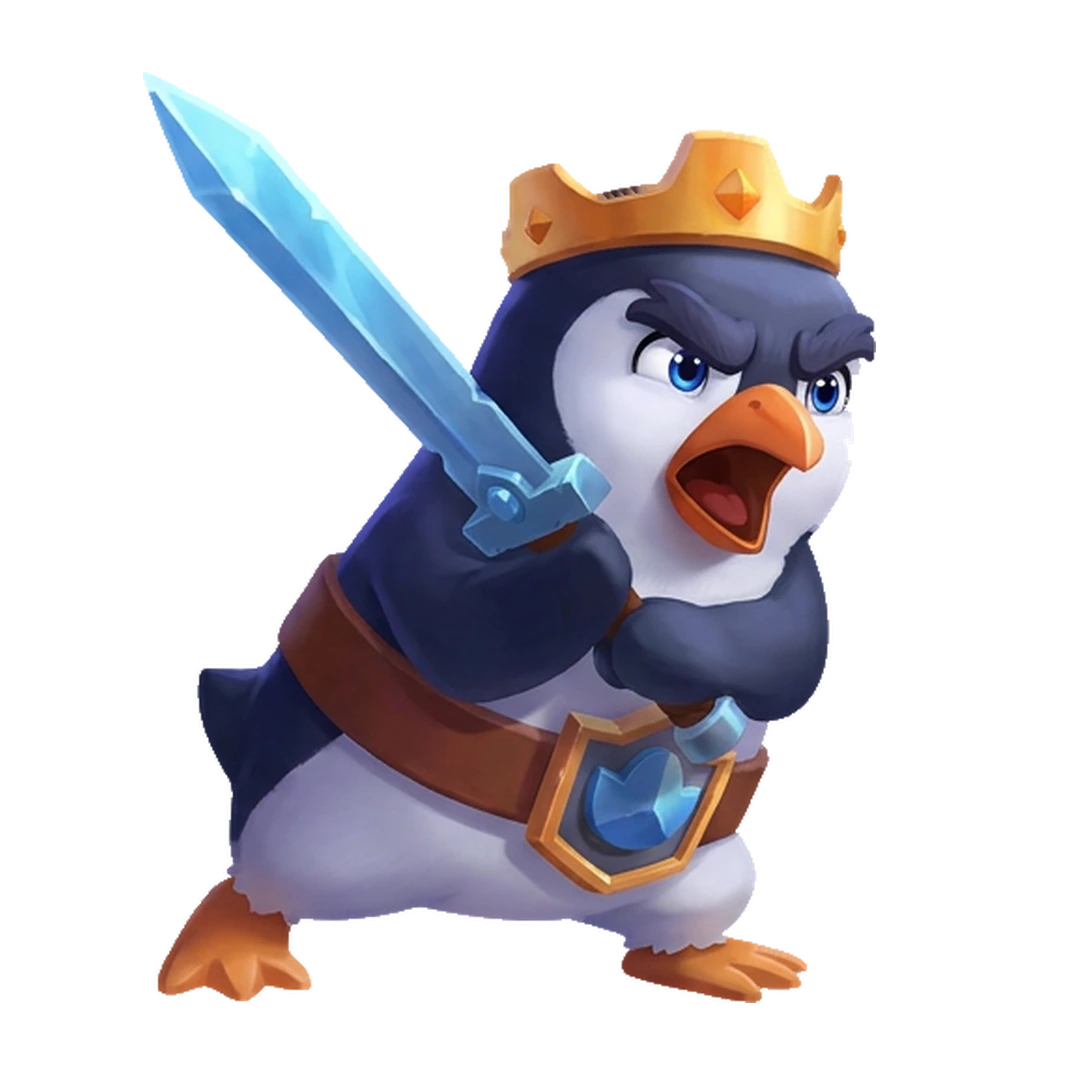
animation.strike
```ts theme={null}
const pengu = (await sc.cards()).find((c) => c.id === 1)!;
pengu.animation;
// { windup: '…/attack/1/windup.webp', strike: '…/attack/1/strike.webp',
// pivot: { x: 0.442, y: 0.9213 }, artScale: 1.0074 }
```
A character with `animation: null` has no drawings yet: animate its `art` instead (a lean and a lunge read well).
## Drawing a frame
The drawings share the art's space, measured from 0 to 1 across and down.
1. Find the **pivot**: `animation.pivot` is where the character meets the ground.
2. Draw the frame **scaled by `artScale`** relative to the art, with its pivot on the art's pivot.
3. To **face left**, mirror the frame horizontally about the pivot.

 ```ts theme={null}
// on a canvas the size of the card art (w × h)
function drawFrame(ctx: CanvasRenderingContext2D, img: HTMLImageElement, w: number, h: number, a: NonNullable, faceLeft: boolean) {
const px = a.pivot.x * w, py = a.pivot.y * h;
ctx.save();
ctx.translate(px, py);
ctx.scale(faceLeft ? -a.artScale : a.artScale, a.artScale);
ctx.drawImage(img, -px, -py, w, h);
ctx.restore();
}
```
## Timing
An attack is one of three kinds:
* **strike**: the card attacks one neighbour and captures it;
* **stomp**: it attacks several neighbours at once and captures at least one;
* **blocked**: it captures nothing. It never reaches the strike drawing; being stopped short is the point.
`kit.animation.timing` says which drawing shows over the attack's progress, from 0 to 1:
```ts theme={null}
// on a canvas the size of the card art (w × h)
function drawFrame(ctx: CanvasRenderingContext2D, img: HTMLImageElement, w: number, h: number, a: NonNullable, faceLeft: boolean) {
const px = a.pivot.x * w, py = a.pivot.y * h;
ctx.save();
ctx.translate(px, py);
ctx.scale(faceLeft ? -a.artScale : a.artScale, a.artScale);
ctx.drawImage(img, -px, -py, w, h);
ctx.restore();
}
```
## Timing
An attack is one of three kinds:
* **strike**: the card attacks one neighbour and captures it;
* **stomp**: it attacks several neighbours at once and captures at least one;
* **blocked**: it captures nothing. It never reaches the strike drawing; being stopped short is the point.
`kit.animation.timing` says which drawing shows over the attack's progress, from 0 to 1:

 | Kind | rest | wind-up | strike | rest |
| - | - | - | - | - |
| strike | 0–0.15 | 0.15–0.34 | 0.34–0.62 | 0.62–1 |
| stomp | 0–0.17 | 0.17–0.5 | 0.5–0.72 | 0.72–1 |
| blocked | 0–0.15 | 0.15–0.46 | — | 0.46–1 |
The game cuts between drawings on the fast part of the motion and holds each extreme. Move the card with the attack, then swap the drawing at these marks.
[Seat sync](/play/board) tells you what happened, in order: `cardPlaced`, then `cardsCaptured` with the cells that flipped (no `cardsCaptured` after an attack means it was blocked), and `cardHopped` when a card hops off a chess tile and attacks again. Which neighbours a card attacks follows from the board: every enemy card next to it, not frozen. See [Reading sides](/play/moves#reading-sides).
This documentation is built and hosted on [Mintlify](https://mintlify.com), a developer documentation platform.
| Kind | rest | wind-up | strike | rest |
| - | - | - | - | - |
| strike | 0–0.15 | 0.15–0.34 | 0.34–0.62 | 0.62–1 |
| stomp | 0–0.17 | 0.17–0.5 | 0.5–0.72 | 0.72–1 |
| blocked | 0–0.15 | 0.15–0.46 | — | 0.46–1 |
The game cuts between drawings on the fast part of the motion and holds each extreme. Move the card with the attack, then swap the drawing at these marks.
[Seat sync](/play/board) tells you what happened, in order: `cardPlaced`, then `cardsCaptured` with the cells that flipped (no `cardsCaptured` after an attack means it was blocked), and `cardHopped` when a card hops off a chess tile and attacks again. Which neighbours a card attacks follows from the board: every enemy card next to it, not frozen. See [Reading sides](/play/moves#reading-sides).
This documentation is built and hosted on [Mintlify](https://mintlify.com), a developer documentation platform.