

.design file: a design contract written for coding agents. Put it in your project, and your agent builds a client that feels like Smash&Clash.
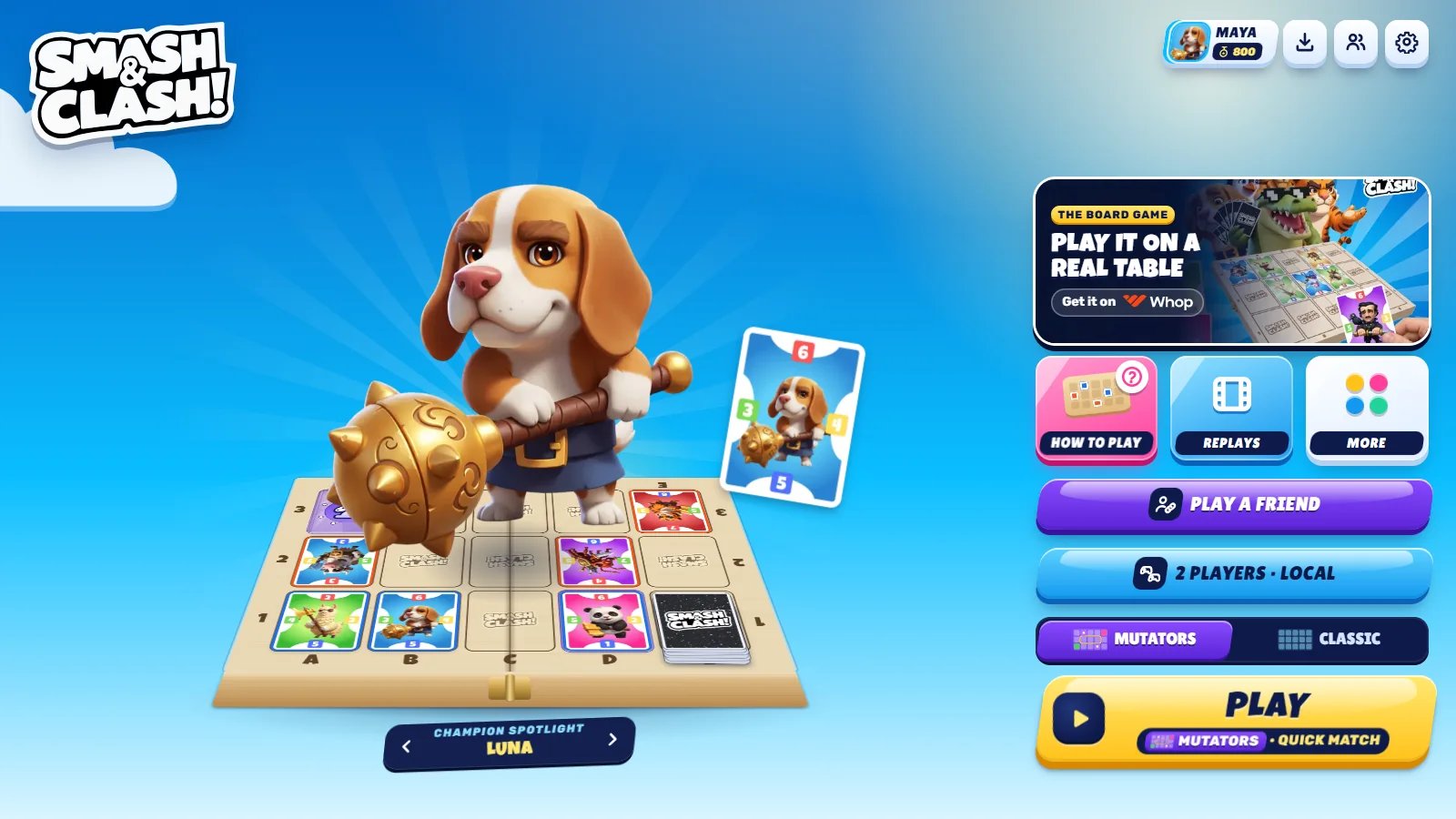
The look the file describes: the game's lobby on smashandclash.in.
smashandclash.design
Colours, type, shapes, motion, sound, components, voice and the rules - design.v1.
smashandclash.tokens.css
The same tokens as CSS variables (
--sc-*), generated from the file.Use it with your agent
-
Save the file at the root of your client’s project:
-
Give your agent the skills that read it and set the craft bar:
We recommend design-engineering for any client you build: it covers what a design file leaves to judgment - motion and easing, interaction polish, accessibility and copy.
-
Ask for UI as usual (“build the lobby”, “draw a card in my hand”). The agent loads
smashandclash.designfirst and builds from its tokens and components. The file carries its own instructions, so an agent without the skills still follows it.
What’s in it
Your own flavour
The default is Smash&Clash. To give your client its own look, don’t edit the file - extend it. Create your own file next to it and override only what you want to change: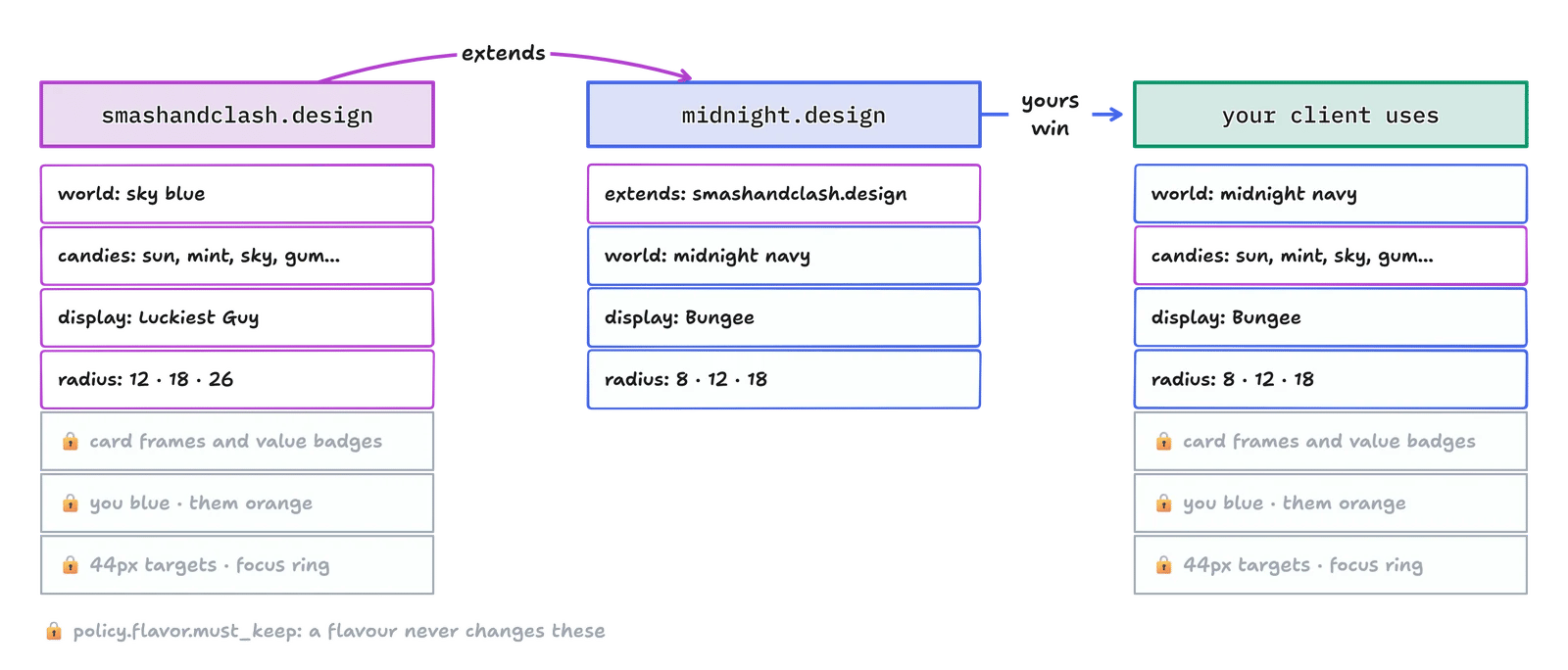
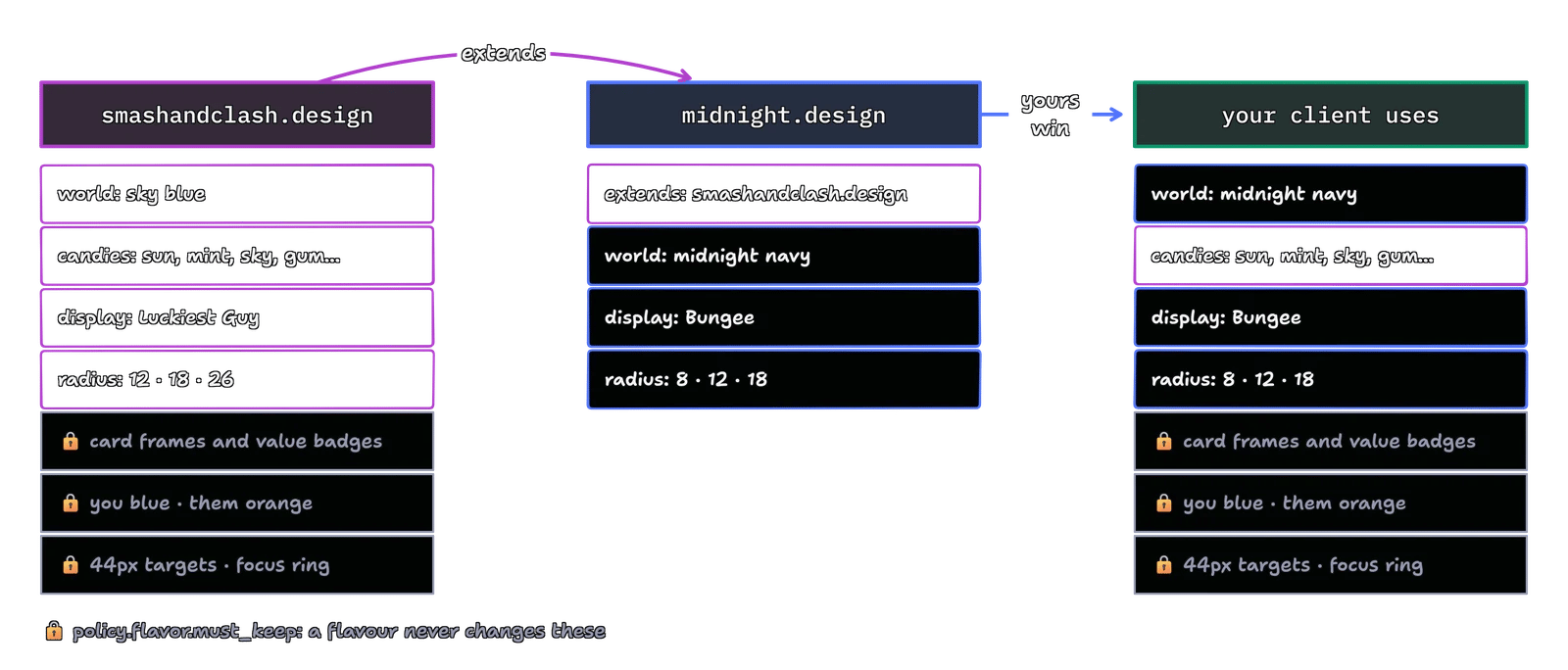
midnight.design
policy.flavor in the file lists what you may change and what you keep:
What you keep carries game meaning or keeps players safe. Change the frame colours and a power tile no longer says which cards it boosts; change you and them and a player reads the board wrong.
Use the CSS variables
smashandclash.tokens.css holds every token as a CSS variable. A candy sets its three colours, and the shared rules draw it:
high-contrast mode applies under :root[data-theme="high-contrast"].
What to avoid
- Two suns on one screen. Cancel next to Play is sugar.
- Easy / Medium / Hard. The opponent adapts to the player’s rating; there is no difficulty picker.
- “CPU”. Every opponent has a name.
- A stand-in card back. A star or a blue rectangle is not the card back; use the real one.
- White text on sun, mint, sky or gum. Those take navy ink.